How to Scrape Websites Without Getting Blocked: 10 Techniques
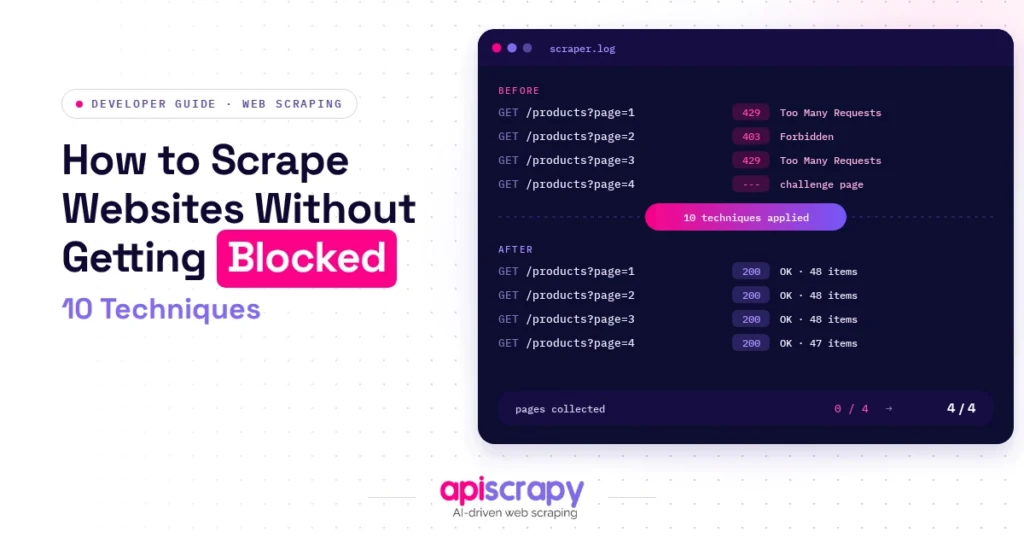
Getting blocked mid-scrape is the most common frustration in data extraction. A script that returns clean data for ten minutes suddenly hits a wall of 403 errors, CAPTCHAs, or silent bans. This guide breaks down ten techniques that hold up against modern anti-bot systems, along with when each one applies.
These recommendations come from testing against real anti-bot environments, developer community reports, and hands-on scraping work across e-commerce, travel, and pricing data. The goal here is practical: working fixes rather than theory, with a clear note on when each technique applies.
Why Websites Block Web Scrapers
Websites block scrapers to protect server capacity, proprietary pricing data, and content from being harvested at scale without permission. A sudden spike in requests from one IP range, missing browser signals, or repetitive request patterns all raise red flags.
In practice, this shows up as CAPTCHA walls, throttled response times, or an outright 403 or 429 error. Some sites go further and shadow-ban an IP, quietly serving fake data instead of blocking outright. Recognizing which signal triggered the block is the first step to fixing it.
The Top Techniques to Scrape Websites Without Getting Blocked
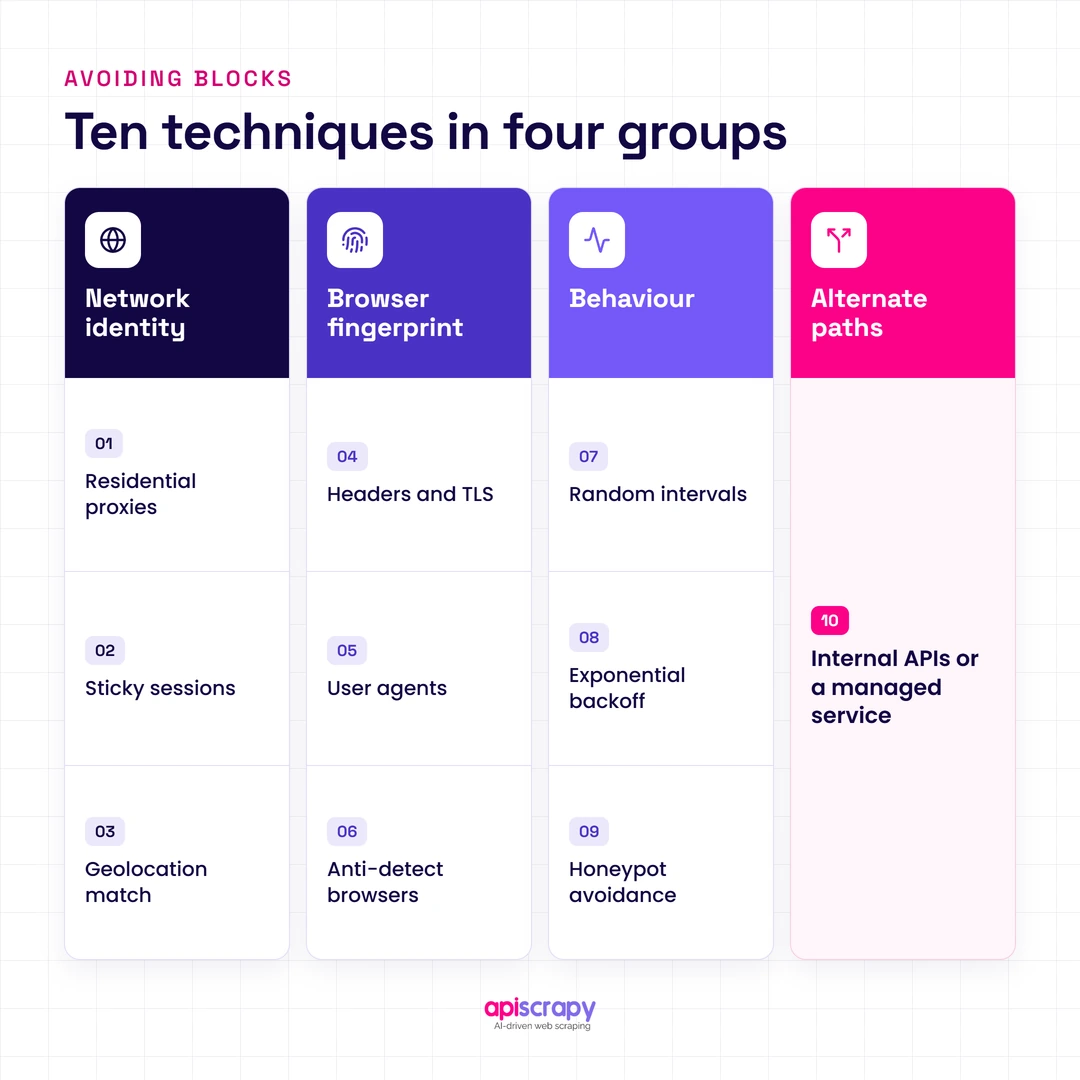
These ten techniques fall into four groups: network identity, browser fingerprinting, behavior, and alternate access paths.
- Use rotating residential proxies
- Maintain sticky sessions
- Match geolocation to the target site
- Align headers and TLS fingerprints
- Rotate user-agents
- Use anti-detect browsers
- Randomize request intervals
- Implement exponential backoff
- Avoid honeypot traps
- Target internal APIs or use a managed service
Mask Your Network Identity
Network-level signals are usually the first checkpoint an anti-bot system evaluates.
Use rotating residential proxies
Residential proxies route requests through real ISP-assigned IP addresses instead of flagged data center ranges. Rotating through a large pool prevents any single IP from accumulating enough requests to look automated. This is the baseline requirement for scraping any site protected by Cloudflare, Akamai, or a similar service.
Maintain sticky sessions
Some workflows, such as logins or multi-step checkouts, need the same IP to persist for the length of a session. Switching IPs mid-session breaks cookies and looks unnatural to a fraud model. Choose a sticky session window that matches how long a real user would stay on that IP.
Match geolocation
An IP based in one country requesting content meant for another country’s audience is an easy signal to catch. Align proxy location with the target site’s expected traffic region, including matching time zone and language headers.
Spoof Browser Fingerprints
Beyond IP address, sites fingerprint the browser and connection itself.
Align headers and TLS
The TLS handshake happens before a single HTTP header is read, so header spoofing alone cannot fix a mismatched TLS signature. Libraries that replicate a real browser’s cipher order and HTTP/2 settings close this gap. A JA3 or JA4 fingerprint that does not match the claimed browser is one of the fastest ways to get flagged.
Rotate user-agents
A single static user-agent string across thousands of requests is an obvious tell. Rotate through a realistic, current pool, and keep it consistent with the other headers in the same request.
Use anti-detect browsers
These simulate a full, consistent device fingerprint, including canvas rendering, WebGL, and installed fonts. They are useful for high-value targets running aggressive fingerprinting stacks.
Mimic Human Behavior
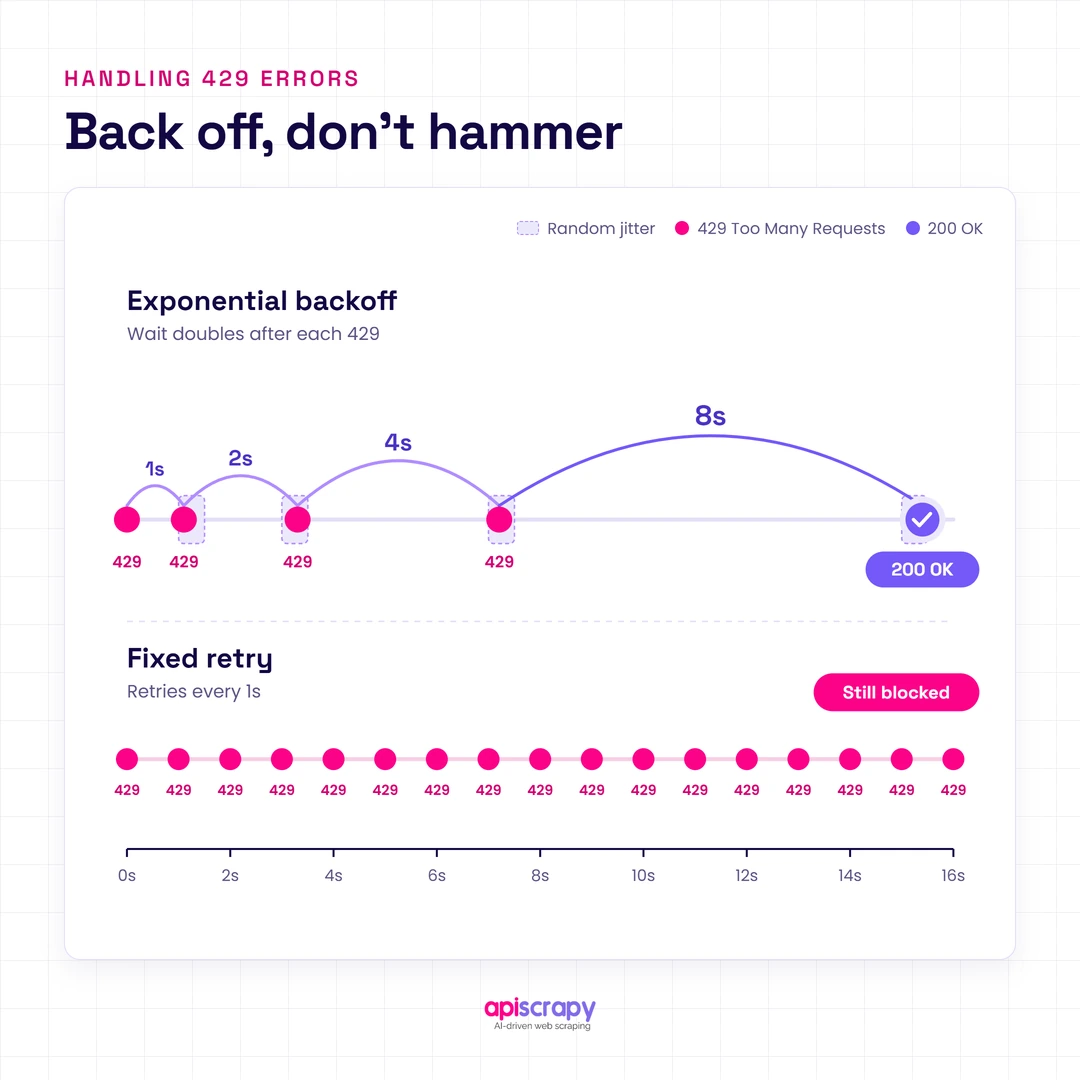
Clean network and browser signals still get flagged if the request pattern behaves like a script.
- Randomize request intervals instead of firing on a fixed timer
- Implement exponential backoff after a 429 or 503 response, rather than retrying immediately
- Avoid honeypot traps such as hidden links or invisible form fields designed to catch bots
Alternative Scraping Paths
Sometimes the most reliable route avoids the rendered front end entirely.
Target internal APIs
Many sites load data through internal, undocumented endpoints that carry lighter protection than the main site. Inspecting network requests in a browser’s developer tools often reveals a cleaner, faster path to the same data.
Offload to a managed service
Teams without the time to maintain proxies, fingerprints, and retry logic can hand this work to a managed data extraction service like APISCRAPY, which handles proxy rotation, fingerprint consistency, and anti-bot maintenance on the client’s behalf. This trades some control for reliability and frees internal teams to focus on using the data rather than collecting it.
Anti-Bot Systems: What You’re Up Against
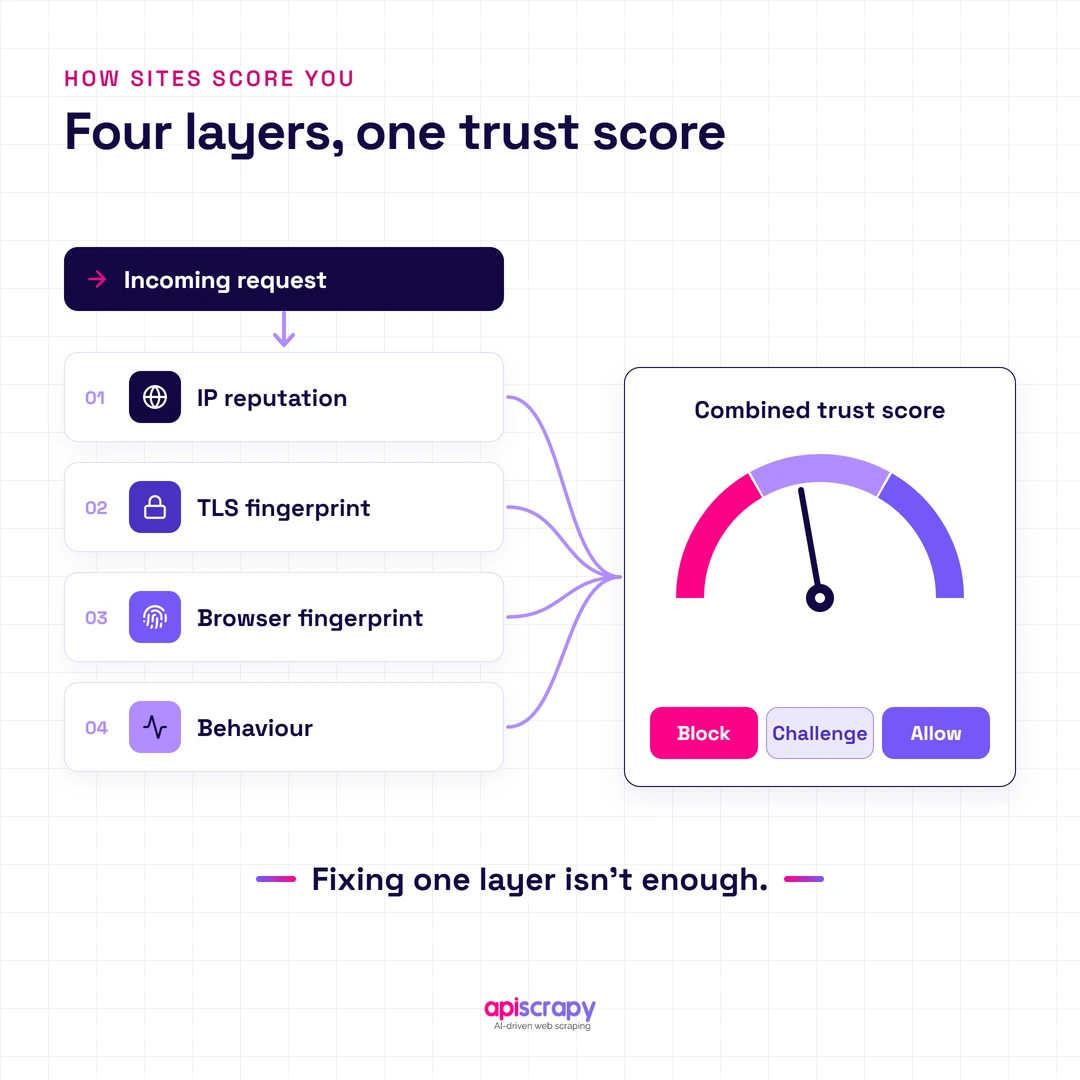
Modern anti-bot services such as Cloudflare, Akamai, and DataDome do not rely on one signal. They combine IP reputation, TLS fingerprint, browser fingerprint, and behavior into a single trust score for every request.
This layered approach is why isolated fixes often fail. A scraper can patch its user-agent and still get blocked because its TLS handshake or mouse movement pattern gave it away. Passing every layer at once, not just one, is what determines whether a request goes through.
Start Building Your Web Crawler Today
Conclusion
No single technique guarantees uninterrupted scraping. Reliable results come from combining network, fingerprint, and behavioral strategies, then adjusting as target sites update their defenses.
Teams that would rather skip the ongoing maintenance can rely on a managed service like APISCRAPY to handle proxy rotation, fingerprinting, and anti-bot upkeep. Book a demo to see how much of this work can be handled without touching a single line of scraping code.
Frequently Asked Questions
How can you scrape a website without getting blocked by Cloudflare, CAPTCHA, 403, or 429 errors?
Combine rotating residential proxies, a TLS fingerprint that matches your claimed browser, and randomized request timing. No single fix works alone; all three layers need to hold up together against the target site's checks.
Why does a web scraper still get blocked even when using rotating proxies, changing user-agents, and adding random delays?
Anti-bot systems score TLS fingerprints and behavioral patterns independently of IP and headers. A mismatched TLS handshake or unnatural mouse movement can still expose automation even when the network and header layers look clean.
What is the best proxy type for web scraping: datacenter, ISP, residential, or mobile, and when should each be used?
Datacenter proxies work for light, unprotected targets, while residential and mobile proxies suit sites with strict IP reputation checks. ISP proxies offer a middle ground, combining data center speed with residential-style trust for moderate protection levels.
How do websites detect web scrapers through IP reputation, browser/TLS fingerprinting, cookies, headers, and user behavior?
Detection systems assign a trust score by checking IP history, TLS handshake signatures, header consistency, and how naturally a session moves through the page. A request that fails several of these checks at once gets challenged or blocked outright.
Is web scraping legal, and what should you check before scraping a website at scale, including robots.txt, Terms of Service, and personal data?
Check the target's robots.txt file, Terms of Service, and whether the data includes personal information before scraping. Publicly accessible, non-personal data scraped responsibly is generally lower risk, but legal exposure varies by jurisdiction and use case.