Web Crawling vs. Web Scraping vs. Web Data API: What’s the Difference?

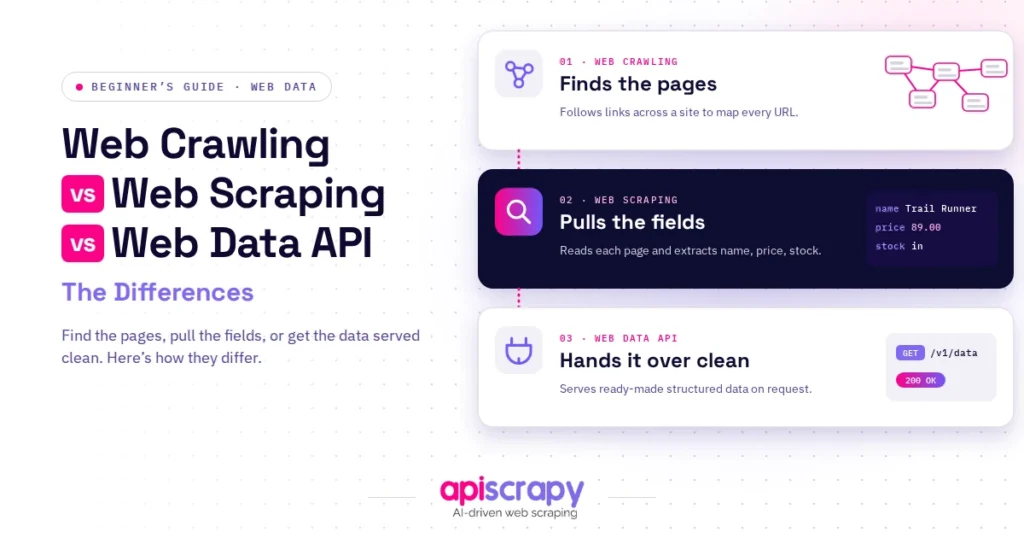
- Each approach plays a different role in turning scattered web pages into valuable insights. Web Crawling discovers and maps relevant pages, web scraping extracts the specific information you need, and a web data API delivers structured data ready for analysis. Together, they create a smarter, more efficient path from discovering information to making confident, data-driven decisions.
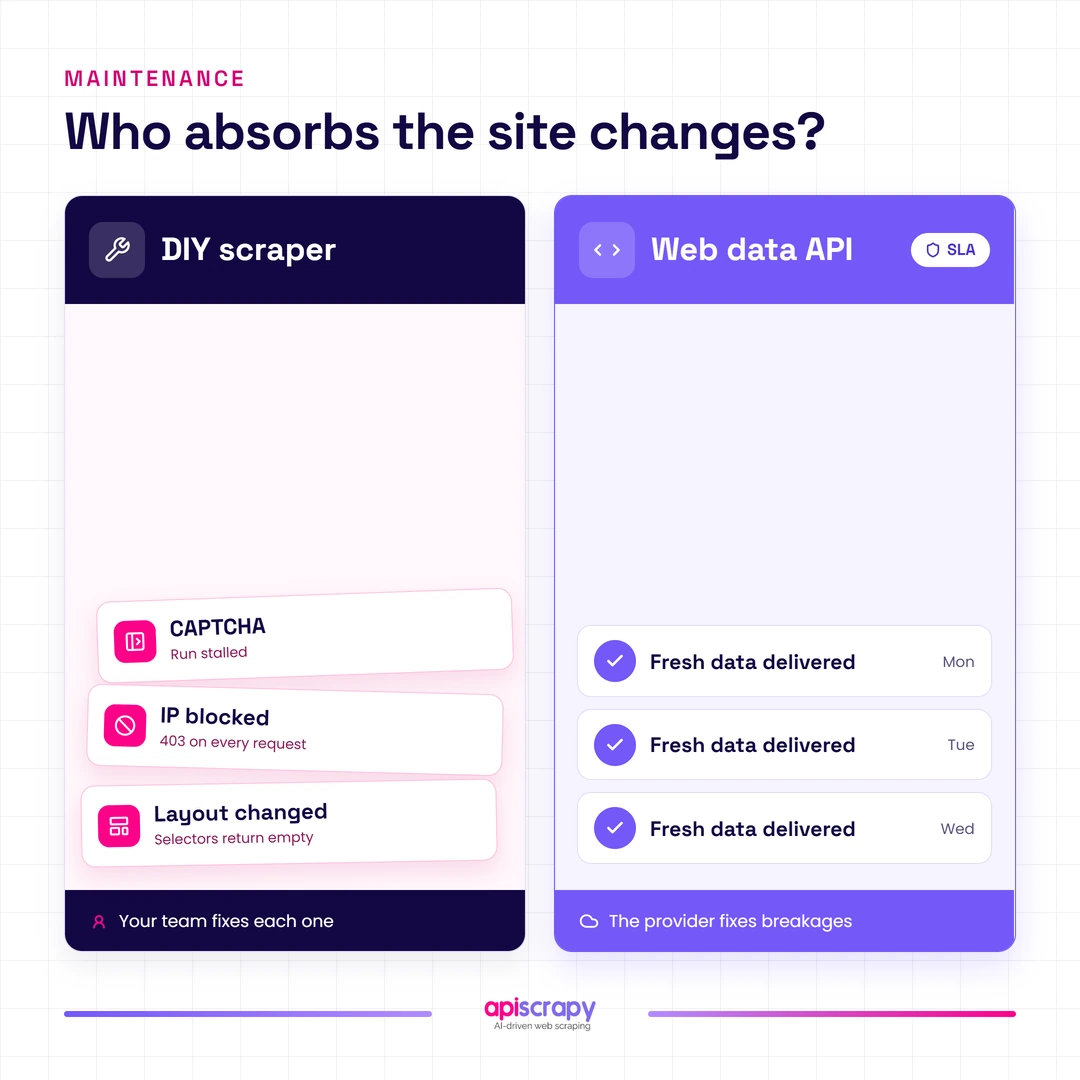
- Maintenance burden is the real cost that gets missed. Crawling stays low-maintenance once built, but scraping breaks often as anti-bot measures and layouts change, while a managed data API shifts that burden to the provider.
- Scraping scales unevenly. Each new source typically needs its own selectors and extraction logic built and tested, which limits scalability without heavy engineering investment.
- A data API scales more predictably because the service absorbs site changes. Managed providers handle proxy management, browser automation, and anti-bot logic, often backed by SLAs around uptime and data freshness that in-house scrapers rarely match.
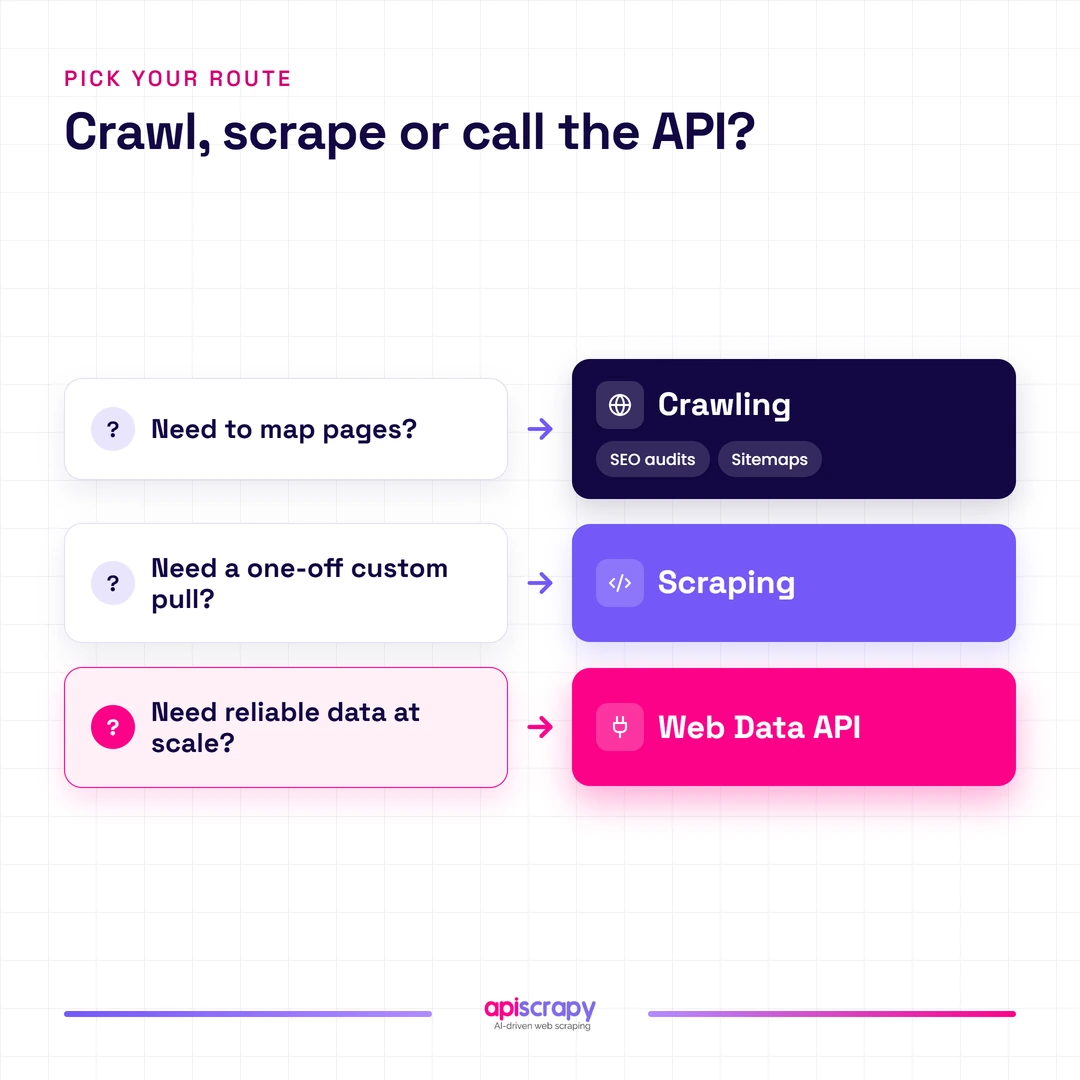
- The right choice depends on frequency and reliability needs. Crawling fits discovery tasks like sitemaps and audits, scraping fits occasional custom pulls, and a data API fits teams needing reliable data at scale without maintaining infrastructure themselves.
Teams researching data collection often treat web crawling, web scraping, and web data APIs as interchangeable terms, and that mix-up gets expensive fast.
| Aspect | Web Crawling | Web Scraping | Web Data API |
|---|---|---|---|
| Purpose | Discover and map pages | Extract specific data points | Deliver ready-to-use structured data |
| Output Type | List of URLs | Structured fields (price, text, etc.) | Clean JSON or CSV via API |
| Technical Skill Required | Moderate | Moderate to high | Low to moderate |
| Scalability | High for discovery | Limited without heavy engineering | High, managed by the service |
| Maintenance Burden | Low once built | High, breaks often | Low, handled by the service |
| Legal/Compliance Complexity | Low, mostly public URLs | Medium, depends on source and method | Low to medium, provider manages compliance |
| Best For | Search engines, SEO teams | Teams needing occasional custom pulls | Teams needing reliable data at scale |
| Typical Cost Model | Often open-source or self-hosted | Developer time plus infrastructure | Subscription or usage-based pricing |
This guide breaks down what separates the three approaches, so you can pick the right one for your project and budget.
Here is what this article covers:
- Clear definitions of crawling, scraping, and data APIs with real business context
- A side by side comparison matrix covering cost, skill level, and scalability
- How structured data access drives measurable business growth
- Straight answers to the questions teams ask most before choosing an approach
Understanding these differences upfront saves engineering hours and prevents budget overruns once a project scales beyond a proof of concept.
What is Web Crawling?
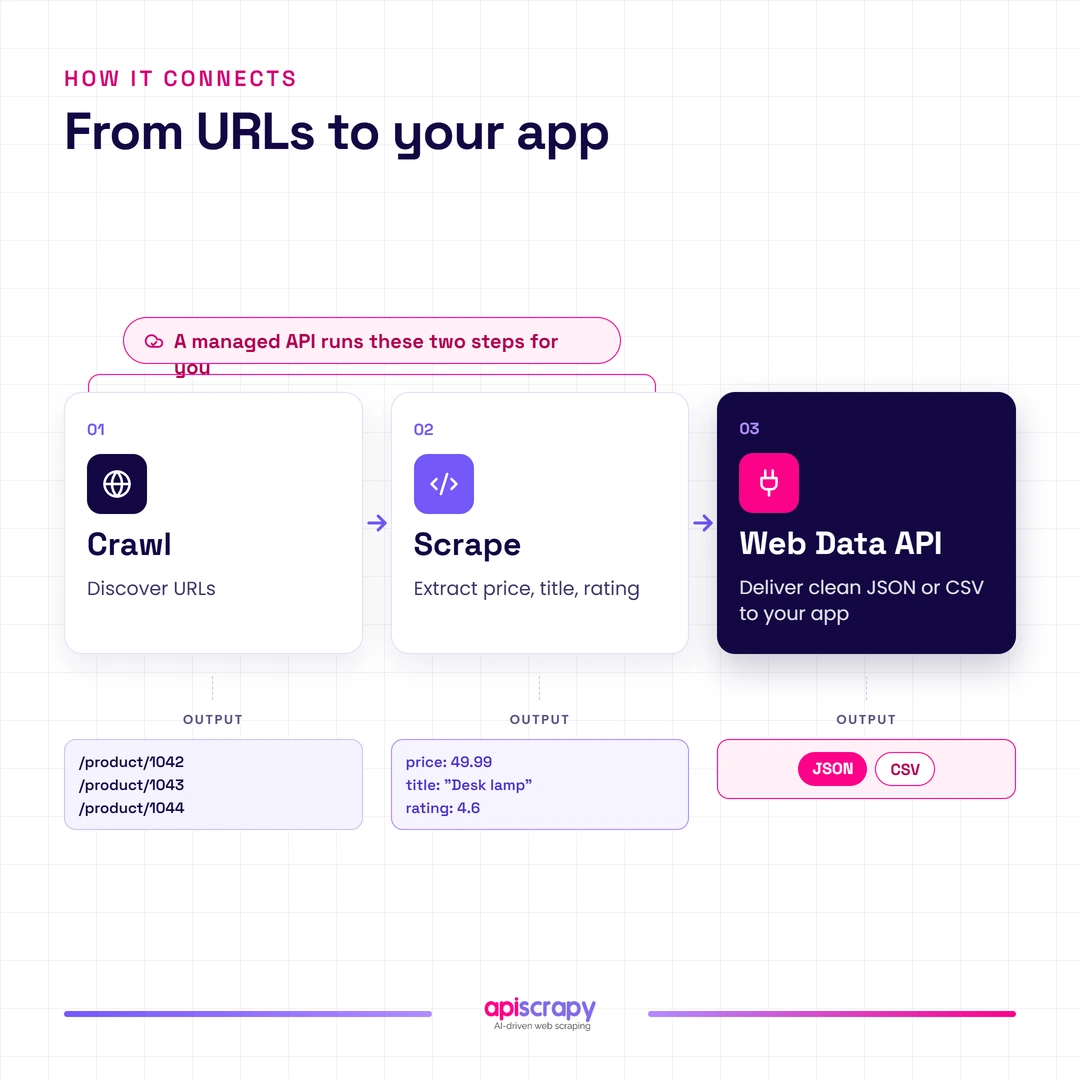
Web crawling is the automated process of systematically browsing the web, following hyperlinks from page to page to discover new content.
Search engines like Google rely on crawlers to build the indexes that power search results across the web.
In practice, a crawler’s job stops at discovery. It maps what exists and how pages link together, but does not extract the data itself.
Web Crawling at a Glance
| Purpose | Typical User | Example Use Case |
|---|---|---|
| Discover and map URLs across a site or the web | SEO teams, search engines, site auditors | Sitemap generation, broken link audits, search indexing |
- Uses breadth-first or depth-first link following to explore an entire domain or the open web systematically
- Focuses on structure and discovery rather than extracting specific data points from individual pages
- Commonly powers search engine indexing, technical SEO audits, and large scale site mapping projects
- Usually the first stage in a pipeline, feeding discovered URLs into a scraper or extraction service downstream
What is Web Scraping?
Web scraping is the automated extraction of specific data points, like prices or reviews, from targeted web pages.
It relies on site-specific logic that identifies exactly where a price, title, or rating sits within a page’s HTML structure.
Ecommerce teams use scraping to track competitor pricing, while research teams use it to pull structured records from directories or listings.
Web Scraping at a Glance
| Purpose | Typical User | Example Use Case |
|---|---|---|
| Extract specific structured data points from target pages | Ecommerce, pricing, and market research teams | Competitor price tracking, review aggregation, lead lists |
- Requires site-specific selectors or logic that breaks whenever a target website changes its layout
- Delivers structured output like product prices, availability, or reviews rather than raw page content
- Needs ongoing maintenance since anti-bot measures and page structures change without warning
- Scales unevenly since each new source often needs its own extraction logic built and tested
What is Web Data API?
A web data API delivers already-extracted, structured data on demand, without requiring a business to build or maintain scraping infrastructure.
Instead of writing scrapers, engineering teams call an endpoint and receive clean JSON or CSV records ready to use.
Managed services such as APISCRAPY handle the crawling, extraction, and anti-bot logic behind the scenes, so internal teams only handle the output.
Web Data API at a Glance
| Purpose | Typical User | Example Use Case |
|---|---|---|
| Deliver pre-structured data without in-house scraping infrastructure | Product, data, and engineering teams needing reliable data at scale | Price intelligence feeds, real estate listings, review datasets |
- Removes the burden of proxy management, browser automation, and anti-bot maintenance from internal teams
- Delivers data in ready-to-use formats like JSON or CSV instead of raw HTML
- Scales more predictably since the service, not the internal team, absorbs site changes
- Often includes service level agreements around uptime and data freshness that in-house scrapers rarely match
How Can Data Scraping Help Your Business Grow?
Structured web data turns public information into a decision-making asset, whether that means pricing, market trends, or customer sentiment.
Competitor and pricing intelligence lets retailers adjust prices in near real time instead of relying on manual spot checks.
Lead generation and market research benefit too, since scraped directories and listings surface prospects faster than manual outreach lists.
Product and content aggregation, like pulling reviews or catalog data across marketplaces, helps teams spot gaps competitors have not filled.
A Reddit discussion among ecommerce operators noted that manual price checks became unsustainable past a few hundred SKUs, pushing most toward automated feeds instead. [insert verified Reddit thread URL]
The common thread across these use cases is speed: automated, structured data consistently beats manual research when timing matters.
Start Building Your Web Crawler Today
Conclusion
Web crawling discovers pages, web scraping extracts specific data points, and a web data API delivers that data already structured and ready to use.
Choose crawling for discovery, scraping for occasional custom pulls, and a managed data API. when you need reliable data at scale without maintaining scraping infrastructure.
If your team is evaluating the right approach for its data needs, book a demo with APISCRAPY to see structured data delivery in action.
Frequently Asked Questions
How do I choose between web crawling, web scraping, and a Web Data API?
The right choice depends on what you actually need: page discovery, a one-time data pull, or ongoing structured data delivery. Choose crawling for site mapping and SEO audits, scraping for occasional custom extraction, and a managed data API when reliability and scale matter most.
Do I need web crawling, web scraping, or both for my project?
Many projects use both in sequence, since crawling discovers relevant URLs before scraping extracts the actual data from them. If your project only needs a handful of known pages, scraping alone may be enough, but broad discovery across an entire site usually needs crawling first.
Is web scraping legal for business use?
Scraping publicly accessible data has consistently been upheld as legal in US courts, most notably in the hiQ Labs v. LinkedIn case. That said, terms of service violations, authenticated data access, and personal data protections can still create legal risk, so consult counsel for your specific use case.
When should I use a Web Data API instead of web scraping?
A web data API makes sense once scraping in-house becomes an ongoing maintenance burden rather than a one-off engineering task. Teams needing consistent uptime, fresh data, and freedom from proxy and anti-bot management typically move to a managed service like APISCRAPY at that point.
What are the biggest challenges in scaling web crawling and web scraping?
Anti-bot defenses, IP blocking, and constantly shifting page layouts are the biggest obstacles teams hit once scraping grows past a small pilot. Maintaining proxies, solving CAPTCHAs, and rewriting extraction logic after every site redesign quickly consumes more engineering time than most teams budget for.