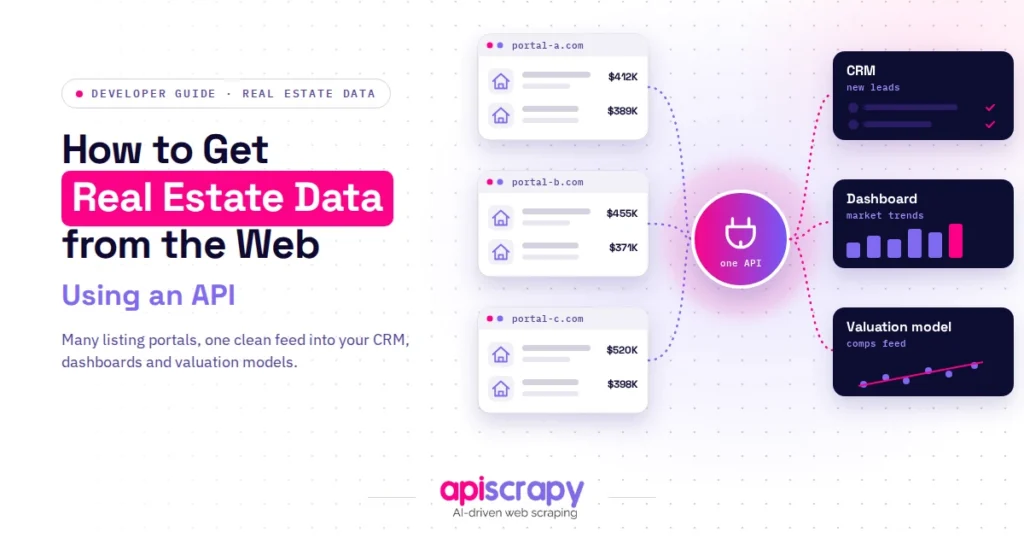
How to Get Real Estate Data from the Web Using an API

TL;DR
- Getting real estate data from the web through an API takes four steps: pick a provider, get an API key, set your search filters, and parse the JSON into a CSV or database. Your provider choice decides whether the project ships or stalls, so match it to your use case before you write any code.
- Aggregator APIs (Zillow, Redfin, Realtor.com data behind one key): fastest route for MVPs, search tools, and valuation features, with limited filtering depth.
- Specialized and investment APIs: best for comps, automated valuations, ownership history, and deal scoring.
- Enterprise providers (ATTOM, Cotality): MLS-grade coverage and compliance, at higher cost and longer onboarding.
- Legal and licensing: scraping public pages is generally not a CFAA violation (hiQ v. LinkedIn), but direct MLS data is licensed through RESO Web API agreements, not an open API key.
- Cost: free tiers for testing, roughly $20 to a few hundred dollars a month for aggregators, and custom pricing at enterprise level.
Real estate decisions now move at the speed of data. Buyers, investors, and proptech teams all need fresh listings, price history, and market signals pulled in automatically, not copied by hand from a browser tab.
This guide walks through how to get real estate data from the web using an API, covering provider types, a step-by-step setup, and the practical questions teams ask before they build.
It draws on hands-on API testing, current provider documentation, and patterns seen across live proptech and investment workflows:
- Comparison of aggregator, specialized, and enterprise-grade real estate data services
- A working implementation flow from API key to exported dataset
- Straight answers on legality, pricing, and MLS access
APISCRAPY is referenced in this guide as one option among several, including it where relevant rather than as the sole focus.
Whatever route fits your budget and data depth, the goal here is a clear path to reliable, structured property data.
Choose Your Real Estate API Provider
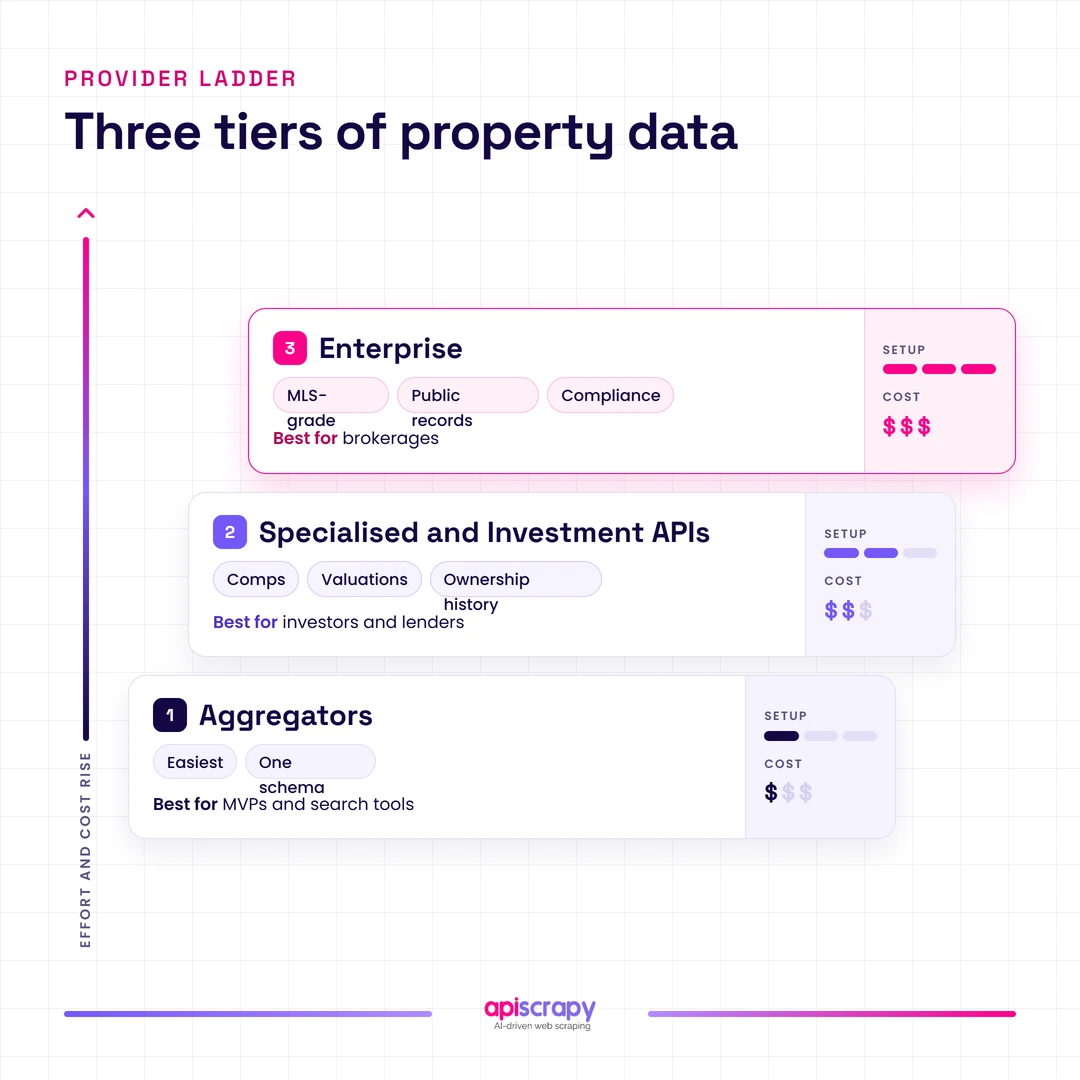
Real estate data services fall into three broad categories, and picking the wrong one is the most common reason projects stall. The right choice depends on how much control you need, how the data will be used, and how quickly you need it flowing.
Aggregate Platforms (Easiest to Use)
Aggregator services unify listings from Zillow, Redfin, Realtor.com, and similar sources behind one API key and one response schema. They suit teams building MVPs, search tools, or valuation features who want speed over deep customization, though they usually limit how far you can filter or extend the underlying data.
Specialized & Investment Data APIs
These services focus on comparables, automated valuations, ownership history, and investment metrics rather than raw listings. Investors, lenders, and analytics teams use them to score deals and track portfolio performance, and they typically outperform general aggregators on depth for a narrow use case.
Industry-Standard & Enterprise
Providers such as ATTOM and Cotality (formerly CoreLogic) offer MLS-grade coverage, compliance controls, and public records at national scale. Brokerages and large platforms choose this tier for reliability and legal clarity, accepting higher cost and longer onboarding in exchange for data they can build a business on.
Step-by-Step Implementation Guide
Once a provider is chosen, the setup itself is straightforward and follows the same basic flow across most real estate data services.
Step A: Register and Acquire an API Key
Most services require an account, an email verification step, and a plan selection before issuing an API key. Free or trial tiers are common and are usually enough to test response structure before committing to a paid plan.
Step B: Define Your Search Parameters
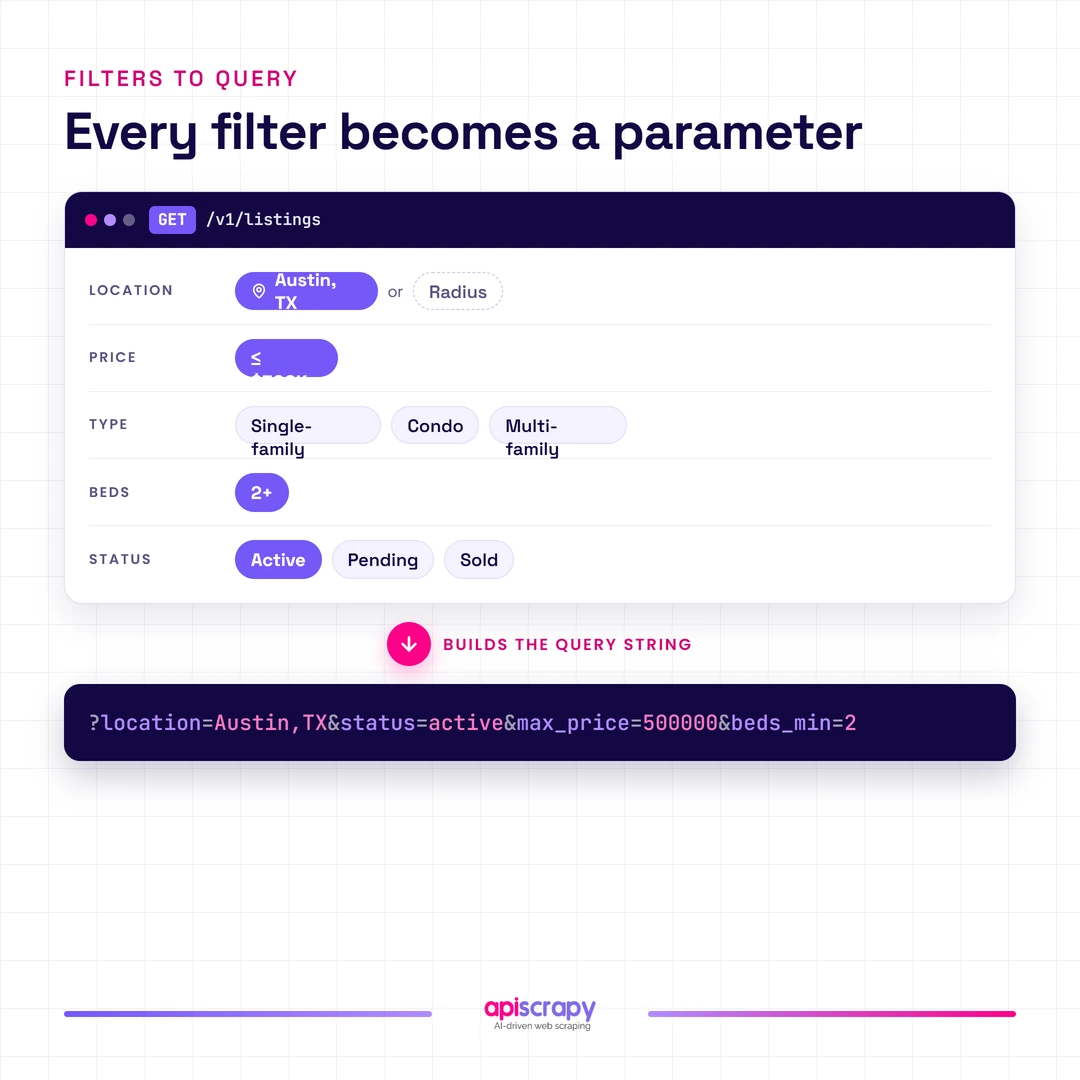
Clear parameters keep the response relevant instead of noisy. Common filters include location (city, zip, or radius), price range, property type, bedrooms and bathrooms, and listing status such as active, pending, or recently sold.
- Location: city, zip code, or a radius around coordinates
- Price range and property type (single-family, condo, multi-family)
- Listing status: active, pending, sold, or off-market
Step C: Write the Request (Python Example)
A basic request needs only the endpoint, your API key, and a small set of query parameters. This example searches active listings in a given city within a price ceiling.
import requests

url = "https://api.example.com/v1/properties"

params = {

"location": "Austin, TX",

"status": "active",

"max_price": 500000,

"beds_min": 2

}

headers = {

"Authorization": "Bearer YOUR_API_KEY"

}

response = requests.get(url, params=params, headers=headers)

response.raise_for_status()

data = response.json()

print(data["results"][0])
The response typically returns a list of property objects with address, price, square footage, photos, and listing status.
Step D: Parse and Export the Data
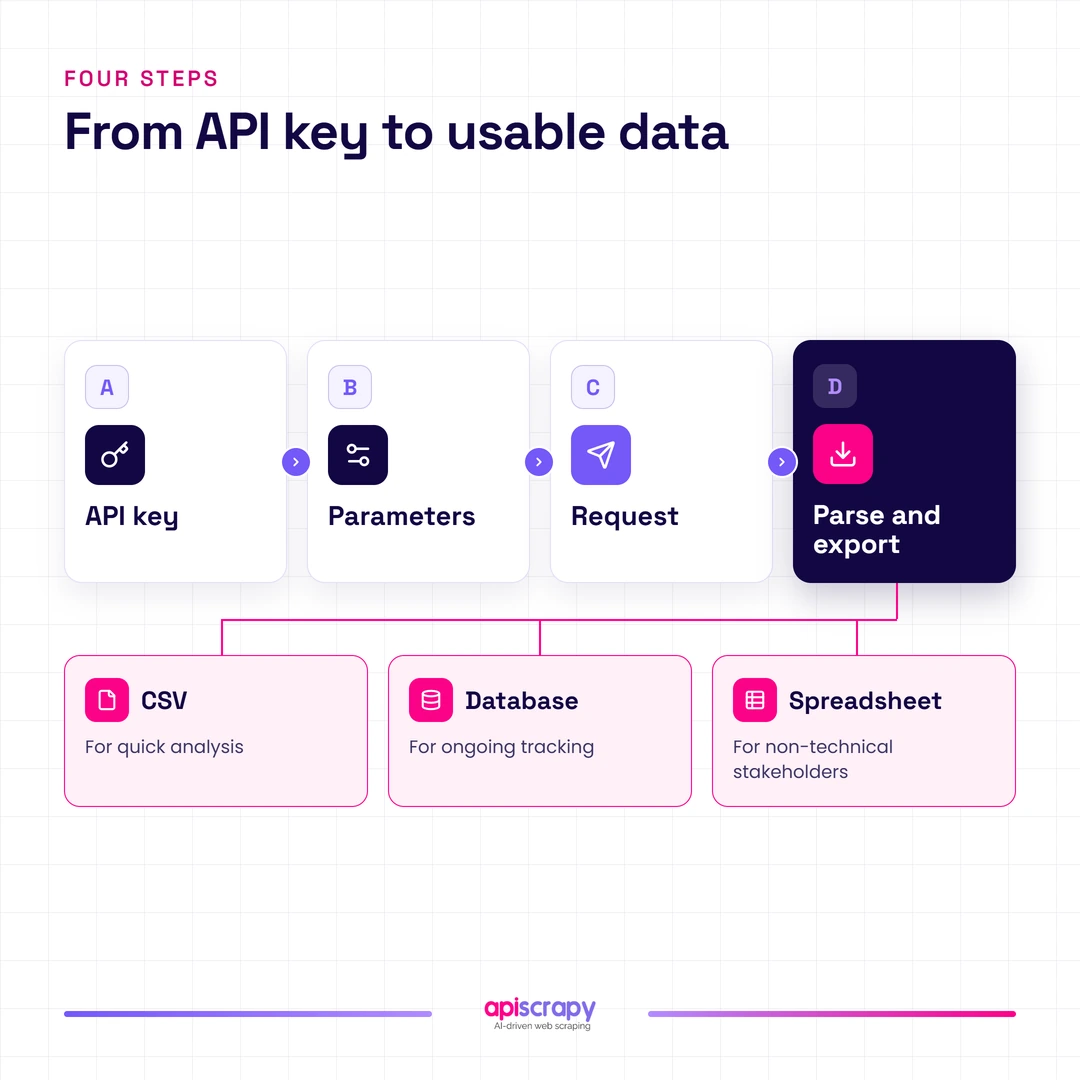
Once the JSON response comes back, the next step is pulling out the fields you need and writing them somewhere usable. Most teams export to CSV for quick analysis, load results directly into a database for ongoing tracking, or push rows into a spreadsheet for a non-technical stakeholder.
Start Building Your Web Crawler Today
Conclusion
Choosing the right real estate API provider and following a clear implementation path saves engineering time and avoids the errors that come from patchy, manually collected data.
The right fit depends on your scale, budget, and how deep your data needs to go, from a quick aggregator integration to enterprise-grade MLS coverage.
If you would rather skip the maintenance work of managing scrapers and API changes yourself, book a demo with APISCRAPY and see how a managed data feed can fit your real estate project.
Frequently Asked Questions
What is the difference between Scraping APIs and Aggregated Data APIs?
A scraping API extracts data directly from live listing pages in real time, which keeps information current but depends on the target site's structure staying stable. An aggregated data API pulls from a pre-built, unified database across multiple sources, trading some freshness for consistency and a simpler schema.
Is it legal to use APIs that scrape data from Zillow, Redfin, or Realtor.com?
Court rulings including hiQ v. LinkedIn have found that scraping publicly accessible web pages generally does not violate the Computer Fraud and Abuse Act.
How frequently is the property market and listing data updated?
Listing-level data on active, pending, and sold properties typically updates within hours as sellers and agents make changes on the source site.
How much do real estate data APIs typically cost?
Pricing ranges widely, from free tiers with limited monthly requests to paid aggregator plans in the range of twenty to a few hundred dollars a month. Enterprise providers with MLS-grade coverage and compliance support usually move to custom, volume-based pricing rather than fixed monthly plans.
Can I get direct access to MLS data through these APIs?
Direct MLS data is licensed, not freely public, and access runs through RESO Web API agreements tied to a real license holder rather than an open API key.