How to Scrape Amazon Product Data Using Python
Amazon’s massive product catalog contains a wealth of information that can shape smarter decisions for sellers, brands, and market researchers—from prices and availability to ratings, reviews, sellers, and product rankings. As competition grows and market conditions change constantly, Scrape Amazon Product data can transform this scattered information into structured, actionable insights, helping businesses monitor competitors, identify pricing opportunities, understand customer sentiment, discover high-performing products, and respond to market shifts without relying on slow, repetitive manual research. With automated data collection, teams can spend less time searching through thousands of listings and more time turning fresh marketplace intelligence into strategies that drive growth and stay ahead of the competition.
This guide walks through building a working Python scraper for Amazon product pages, then covers where that approach breaks down at scale.
What you’ll get here:
- A Python script that pulls title, price, rating, and review data from a live Amazon page
- The specific HTML elements to target and how to find them yourself
- The blocking mechanisms Amazon uses and how to work around them responsibly
- A managed path for when the DIY script stops being worth maintaining
Amazon’s Conditions of Use restrict automated data collection, so treat this as a technical walkthrough rather than legal advice, and check current terms before scraping at any scale.
Build it yourself for learning and small projects, or hand the ongoing maintenance to a service built for it. Either way, you’ll leave with a clear picture of what scraping Amazon actually takes.
What Amazon Product Data Are We Going to Scrape?
This guide focuses on the data points sellers and analysts check most often when tracking listings or competitors. Each one maps to a specific HTML element on Amazon’s product and search pages.
- Product title
- Price (current and, where shown, list price)
- Star rating
- Number of reviews
- ASIN (Amazon’s unique product identifier)
- Availability status (in stock, limited stock, unavailable)
- Primary product image URL
- User Reviews
These fields cover the core use cases behind most Amazon scraping projects: price monitoring, competitor tracking, and catalog auditing.
A Step-by-Step Guide
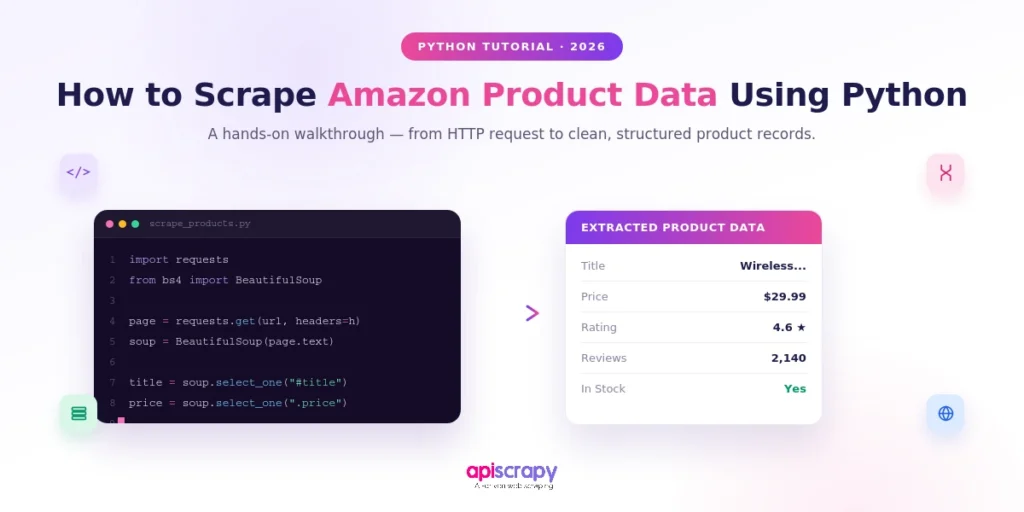
The walkthrough below uses Python with the requests and BeautifulSoup libraries, the standard starting point for scraping static HTML pages.
Step 1: Install Required Libraries
Two libraries do the work here: requests fetches the page, and BeautifulSoup parses the HTML into something you can search through.
If Amazon serves you JavaScript-rendered content or blocks plain requests outright, Selenium or Playwright can render the page in a real browser first.
Step 2: Inspect Amazon’s HTML Structure
Open a product or search page in Chrome, right-click the element you want (the price, the title), and choose Inspect to see its tag and class names. Amazon buries these in nested divs with long, auto-generated class names, and none of it is documented anywhere.
Elements worth locating first:
- The title container (usually a span inside an h1 or h2)
- The price block (often split across multiple spans for whole and fractional amounts)
- The rating and review-count elements near the star icons
- The ASIN, which appears in the page URL and in a hidden data attribute
Save these selectors somewhere, because Amazon changes them often enough that you’ll need to revisit this step regularly.
Step 3: Write the Python Scraper
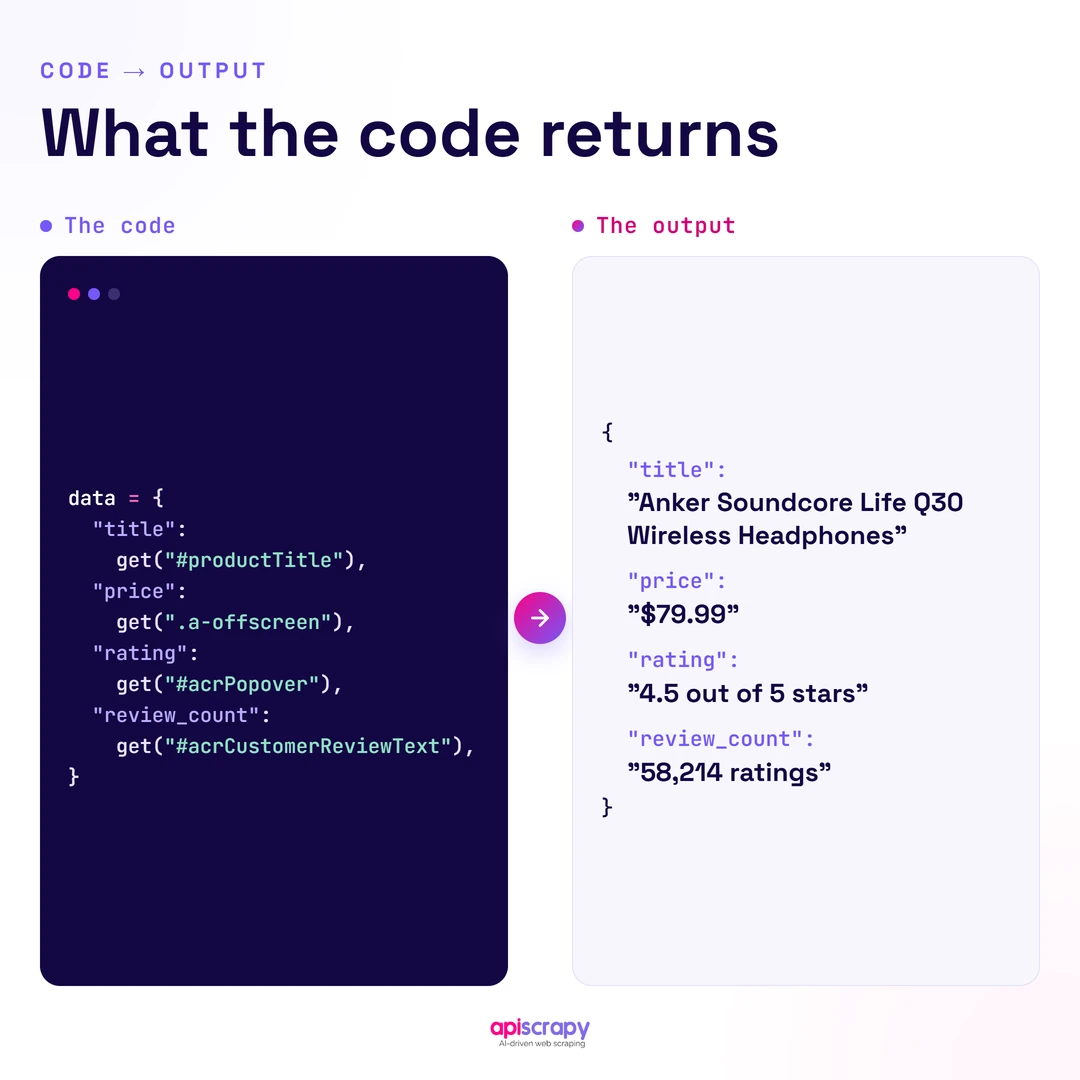
With selectors identified, the script below sends a request with browser-like headers, parses the response, and extracts each field into a dictionary.
import requests

from bs4 import BeautifulSoup

headers = {

"User-Agent": "Mozilla/5.0 (Windows NT 10.0; Win64; x64) AppleWebKit/537.36 "

"(KHTML, like Gecko) Chrome/124.0 Safari/537.36",

"Accept-Language": "en-US,en;q=0.9",

}

url = "https://www.amazon.com/dp/EXAMPLEASIN"

response = requests.get(url, headers=headers, timeout=10)

soup = BeautifulSoup(response.text, "html.parser")

data = {

"title": soup.select_one("#productTitle"),

"price": soup.select_one(".a-price .a-offscreen"),

"rating": soup.select_one("span.a-icon-alt"),

"review_count": soup.select_one("#acrCustomerReviewText"),

}

result = {

k: v.get_text(strip=True) if v else None

for k, v in data.items()

}

print(result)
Run this and you’ll get a dictionary of the fields you targeted, assuming Amazon serves you the actual page instead of a CAPTCHA. That “assuming” is doing a lot of work, which is the whole subject of the next section.
How to Follow Best Practices and Avoid Getting Blocked
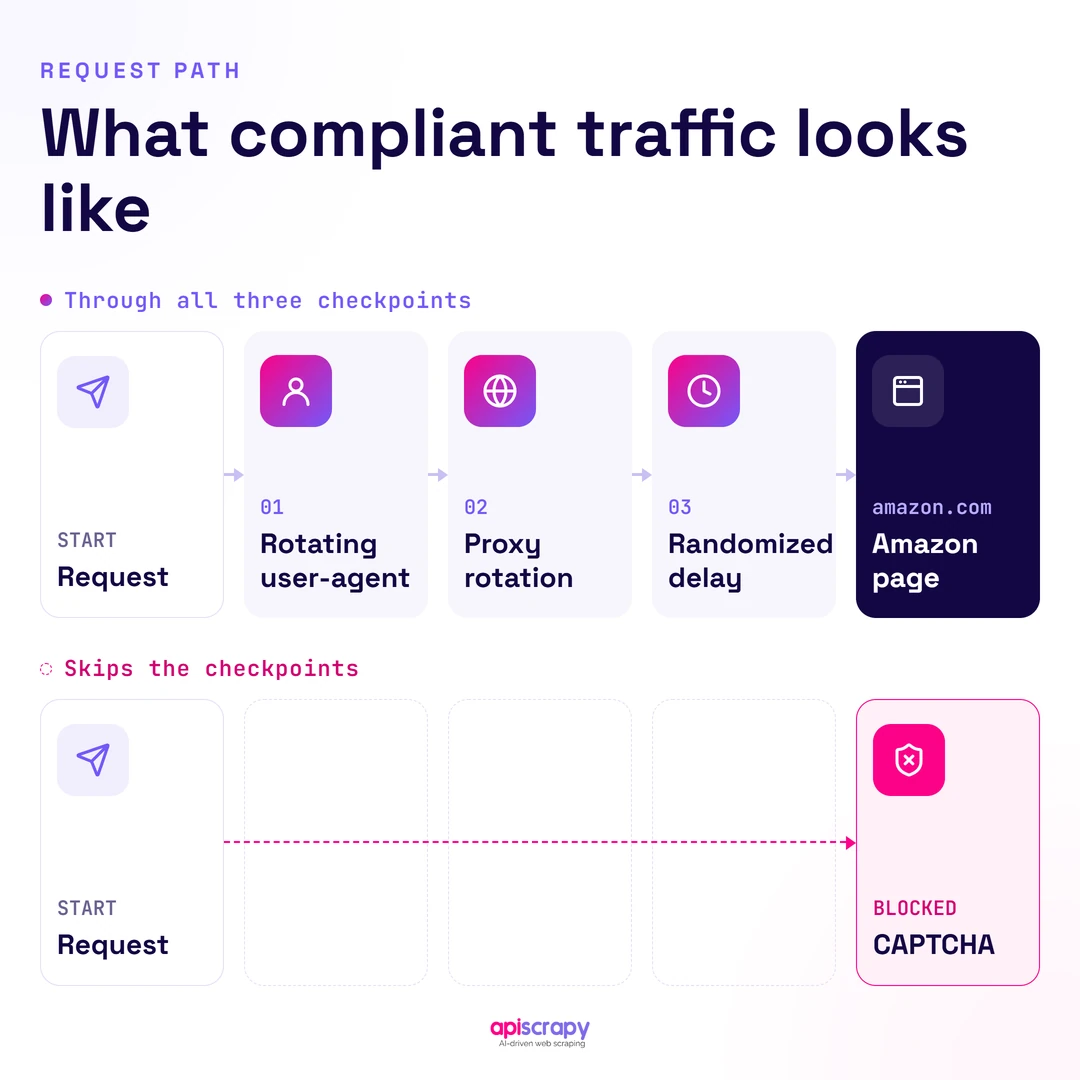
Amazon’s anti-bot systems flag traffic that doesn’t look human within a handful of requests. These practices reduce, but never eliminate, that risk:
- Rotate user agents across requests instead of reusing one string for every call
- Route traffic through rotating residential or datacenter proxies so requests don’t all come from one IP
- Add randomized delays between requests instead of hammering pages back to back
- Cap request volume per IP and per session rather than scraping continuously
- Respect the disallow rules in Amazon’s robots.txt file where they apply to your target pages
- Build in CAPTCHA detection so the script pauses or alerts rather than retrying blindly
None of this is a one-time setup. Amazon adjusts its detection regularly, so a scraper that works today can start failing silently next month, and the maintenance burden compounds as you add more products or categories.
Why Scraping Amazon Is Challenging?
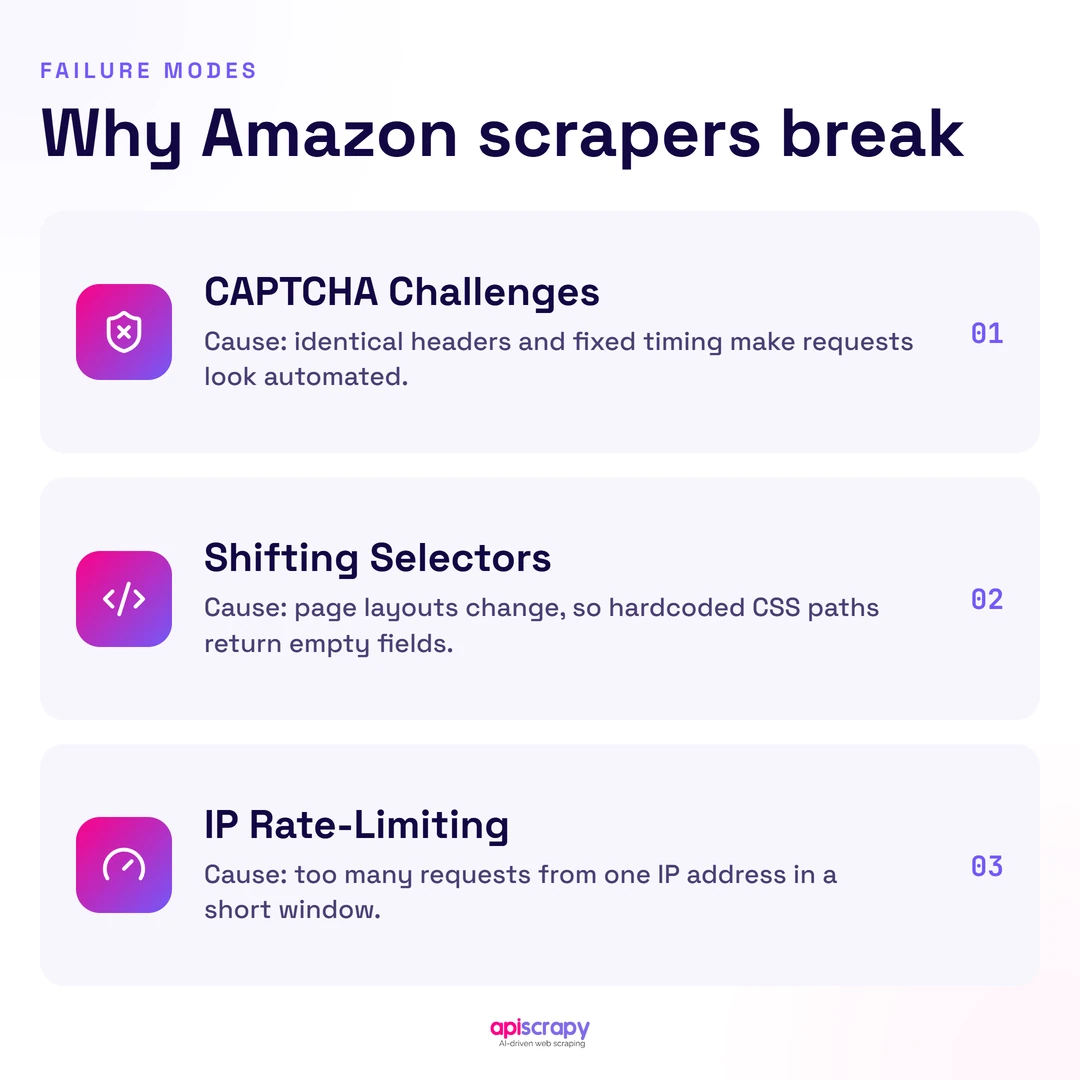
Amazon runs one of the more aggressive anti-bot systems of any major retailer, and it layers several defenses that each cause a different kind of failure. Understanding them explains why so many self-built scrapers stop working within weeks.
CAPTCHA challenges appear as soon as request patterns look automated, and solving them programmatically is neither reliable nor within Amazon’s terms. Page structure and class names shift periodically, sometimes without notice, which quietly breaks selectors that worked fine the week before.
At any real volume, IP-based rate limiting and blocking kick in, forcing teams into proxy infrastructure just to keep basic requests flowing. Layered on top of the technical challenges are Amazon’s Conditions of Use, which restrict automated access and leave scrapers operating in a gray area even when the underlying data is public.
Developers who’ve built Amazon scrapers at scale describe the same pattern: the script that works in testing needs constant babysitting once it’s tracking hundreds of ASINs a day.
Start Building Your Web Crawler Today
Conclusion
The Python approach above works well for learning the mechanics of scraping and for small, occasional pulls where a broken selector is a minor annoyance. It gets far less practical once you’re tracking dozens of ASINs daily and fixing the script becomes a recurring task.
At that point, the proxy management, CAPTCHA handling, and constant selector maintenance start costing more engineering time than the data is worth. A managed service closes that gap without asking anyone to give up the data itself.
To skip the maintenance and get Amazon product data delivered on your schedule, book a demo with APIScrapy.
FAQs
What Python libraries are best for scraping Amazon product data?
Requests and BeautifulSoup handle static pages well, while Selenium or Playwright are better suited to pages that rely on JavaScript to render content.
How do I scrape Amazon product prices, ratings, and reviews with Python?
Target the specific CSS selectors for each field, price block, star rating, review count, using BeautifulSoup's select_one method after fetching the page with requests.
Why does my Python Amazon scraper get blocked or show CAPTCHA pages?
Amazon's anti-bot systems flag repeated requests from the same IP or user agent, especially without delays, and respond by serving a CAPTCHA instead of the page.
Is it legal to scrape Amazon product data with Python?
Courts have generally treated scraping public web data as distinct from unauthorized computer access, but Amazon's Conditions of Use separately restrict automated collection, so proceed carefully.
Can I scrape Amazon product data using Python Requests?
Yes, for static pages requests paired with BeautifulSoup is usually enough, though Amazon frequently blocks plain requests traffic without added headers and proxy rotation.
How do I scrape Amazon product data with Selenium and Python?
Selenium drives a real browser to load and render the page, which helps with JavaScript-heavy content, then BeautifulSoup or Selenium's own selectors extract the data.