What Is Web Scraping? A Practical Guide
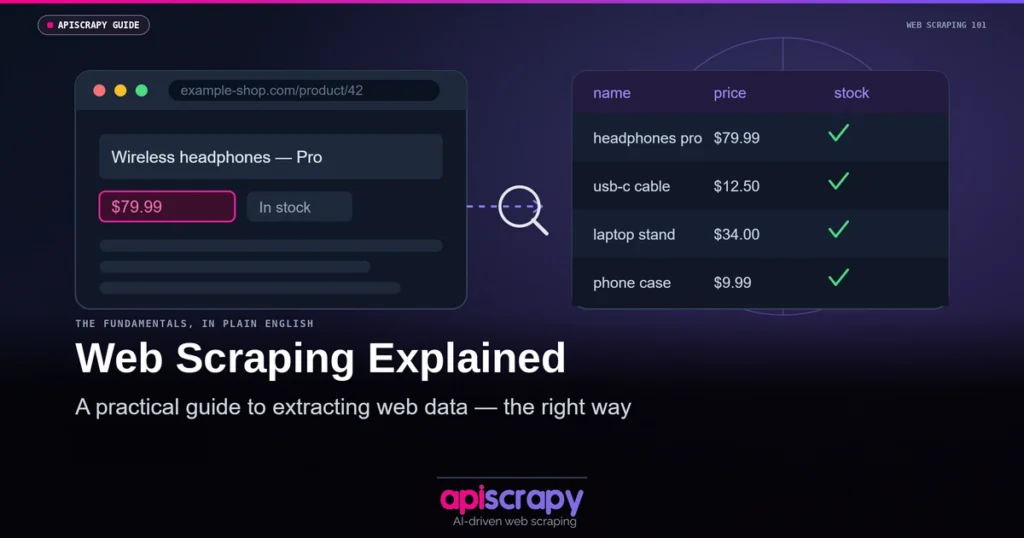
Web scraping is the automated process of pulling structured data from websites instead of copying it by hand. Businesses use it to track prices, monitor competitors, and feed AI models with fresh, real-world data. As more decisions depend on live web data, understanding how scraping actually works matters more than ever.
- Web scraping extracts data from websites into structured JSON or CSV.
- It powers price monitoring, lead generation, market research and AI datasets.
- DIY scripts break often — sites change layouts, add CAPTCHAs and block bots.
- Managed platforms like APISCRAPY handle proxies, parsing and scaling.
This guide breaks down what web scraping is, how it works, where it differs from crawling, and which Services fit which use case.
Instead of manually copying data from a page, you can automate it with just a few lines of Python:
import requests
from bs4 import BeautifulSoup

url = "https://example.com"
response = requests.get(url)
soup = BeautifulSoup(response.text, "html.parser")

# Extract titles
titles = [t.get_text() for t in soup.find_all("h2")]
print(titles)
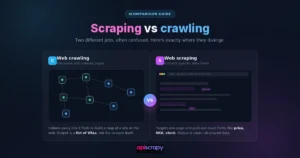
What Is the Difference Between Web Scraping and Web Crawling?
Web crawling is the process of systematically browsing the web to discover and index pages, the way search engines map the internet. A crawler follows links from page to page, building a map of what exists, without necessarily extracting anything from those pages.
Web scraping goes a step further. It targets specific pages and pulls out defined data points, like prices, reviews, or contact details, and turns them into structured, usable formats. Think of crawling as building the map and scraping as collecting the treasure once you know where it is.
| Aspect | Web Crawling | Web Scraping |
|---|---|---|
| Purpose | Discover and index pages | Extract specific data |
| Output | List of URLs or a sitemap | Structured data (CSV, JSON, database) |
| Typical User | Search engines, SEO Services | Analysts, marketers, developers |
| Example Service | Googlebot, Screaming Frog | BeautifulSoup, Scrapy, APISCRAPY |
In practice, the two often work together. A crawler finds the relevant pages across a site, and a scraper then extracts the exact data needed from each one.
How Does Web Scraping Work?
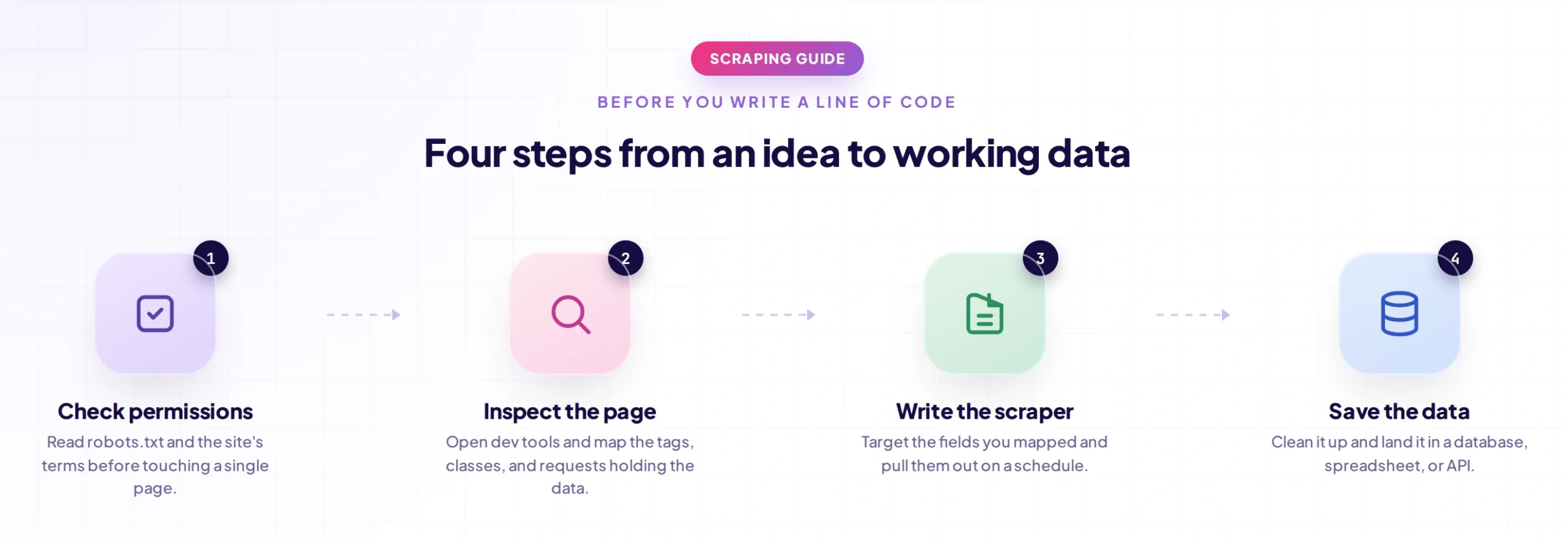
At its core, a scraper follows a repeatable sequence rather than anything mysterious. Here is the typical flow:
- Send a request: The scraper requests a webpage’s HTML, the same way a browser does when you visit a URL.
- Parse the HTML: The raw HTML is broken down into a readable structure so specific elements can be located.
- Locate target elements: Using CSS selectors or XPath, the scraper finds the exact tags holding the data, like a price or product title.
- Extract the data: The relevant text or attributes are pulled out of those elements.
- Clean and structure it: Extracted data is formatted consistently, removing extra spaces, symbols, or duplicates.
- Store or export: Final data is saved to a CSV, database, or API endpoint for downstream use.
The process changes depending on the site. Static pages return complete HTML on the first request, while dynamic, JavaScript-rendered pages need a headless browser to load content before it can be extracted.
What Are the Types of Web Scraping?
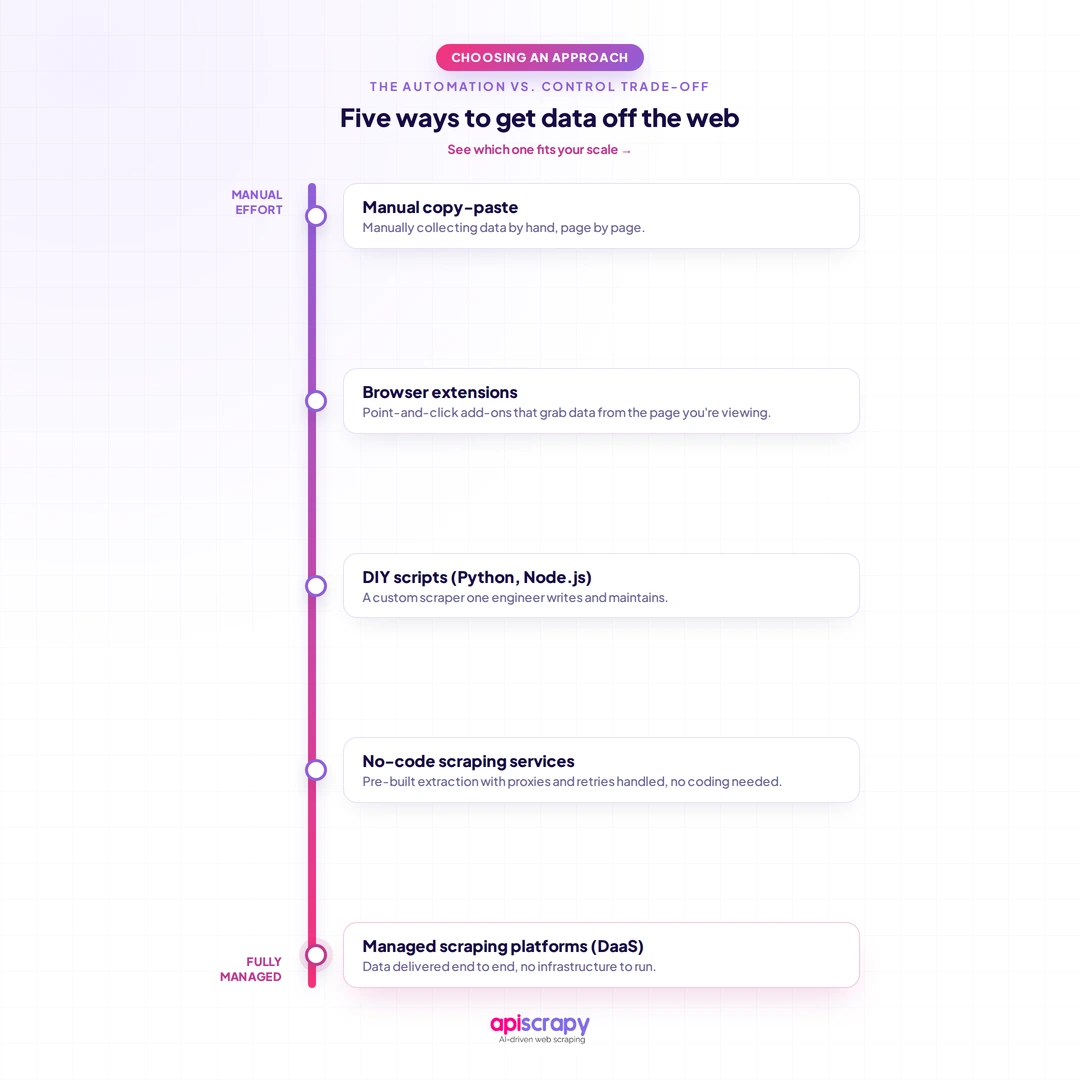
Scraping methods vary based on scale, technical skill, and how complex the target site is. Here are the main types teams actually use:
- Manual copy-paste: Suited to one-off, small data pulls where automation is not worth the setup time.
- Browser extensions: Point-and-click Services for non-developers who need light, occasional scraping.
- DIY scripts (Python, Node.js): Custom-coded scrapers built by developers for full control over logic and output.
- No-code scraping Services: Visual builders that let non-technical users configure scraping workflows without writing code.
- Managed scraping platforms (DaaS): Fully outsourced solutions, like APISCRAPY, that handle proxies, CAPTCHAs, and maintenance for enterprise-scale, ongoing data needs.
The right type depends less on preference and more on how often you need the data and how much reliability the use case demands.
What Are the Best Common Use Cases of Web Scraping?
Web scraping is not a niche technical exercise anymore. It is used across industries wherever decisions depend on external, fast-moving data:
- Price and competitor monitoring: Retailers and pricing teams track competitor pricing daily to adjust their own strategy.
- Lead generation: Sales teams extract public contact and firmographic data to build targeted prospect lists.
- Market research: Analysts gather product and pricing data across categories to spot trends before they hit reports.
- Real estate and travel aggregation: Platforms pull listings and fares from multiple sources into one searchable feed.
- Sentiment and review analysis: Brands scrape reviews from G2, Capterra, or Amazon to understand customer perception at scale.
- AI and LLM training data: Teams building AI models scrape web content to create diverse, current training datasets.
- SEO and content research: Marketers scrape SERPs and competitor content to identify keyword and content gaps.
What Services and Techniques Are Available in Web Scraping?
Services range from raw code libraries to fully managed platforms, and the right choice depends on team size and technical depth.
Code-Based Services
- BeautifulSoup: A lightweight Python library best for simple, static HTML parsing.
- APISCRAPY: A full Python framework built for large-scale, structured crawling and scraping projects.
- Playwright or Selenium: Browser automation Services needed for JavaScript-heavy, dynamic websites.
No-Code and Managed Services
- Browser extensions: Quick, visual scraping for small, occasional tasks.
- Point-and-click platforms: No-code builders for recurring scraping without a developer.
- DaaS services like APISCRAPY: End-to-end managed scraping, including data delivery, for teams that want output without infrastructure.
Beyond the Service itself, a few techniques determine whether scraping works reliably at scale: proxy and IP rotation to avoid blocks, headless browsers for dynamic content, CAPTCHA-handling layers, and scheduling systems to keep data fresh automatically.
How to Scrape and Download All the Files on a Website?
Sometimes the goal is not structured data but bulk files, like PDFs, images, or documents, sitting across a site. This needs a slightly different approach than typical scraping.
- Identify file link patterns: Look at the URL structure to spot how file links are formatted (e.g., ending in .pdf or .jpg).
- Crawl the site for URLs: Use a crawler to collect every page URL that might contain file links.
- Filter by file type: Narrow the URL list down to only the extensions you actually need.
- Automate the download requests: Use a script to fetch each file URL and save it locally in bulk.
- Respect rate limits: Space out requests so the server is not overwhelmed and your IP is not flagged.
- Verify and store files: Confirm downloads completed correctly and organize them into a clear folder structure.
One thing practitioners flag often: bulk downloading fails quietly when a site paginates its file listings or hides links behind JavaScript webscraping, so the crawl step needs to handle both.
Before scraping and downloading files in bulk, always check the site’s terms of service and robots.txt. Large-scale downloads without permission can violate site policy or, in some cases, copyright law.
Conclusion
Web scraping has moved from a niche technical trick to foundational infrastructure for pricing, research, and AI teams alike. The right approach depends entirely on your scale, technical comfort, and how much reliability the use case demands. A manual script might work for a one-time pull, but ongoing, enterprise-grade data needs usually call for a managed solution.
If your team is scraping data manually or managing fragile in-house scripts, it may be time to see what a fully managed platform can do. Book a demo with APISCRAPY to see how enterprise-scale web scraping works without the maintenance burden.
Frequently Asked Questions
Can I scrape a website without coding?
Yes, no-code Services and browser extensions let you scrape data through visual, point-and-click interfaces. These work well for small or occasional projects but may struggle with complex, JavaScript-heavy sites.
How do websites detect and block web scrapers?
Websites detect scrapers through patterns like unusually fast request rates, repeated requests from the same IP, or missing browser-like headers. Many also use CAPTCHAs or behavioral analysis to flag non-human traffic.
What data formats can web scraping export to?
Scraped data commonly exports to CSV, JSON, or Excel for straightforward analysis and reporting. Developers often push it directly into databases or via API for real-time application use.
Do I need proxies to scrape a website successfully?
For small, occasional scraping, proxies are not always necessary. But for scraping at scale or against sites with strong anti-bot measures, proxies and IP rotation become essential to avoid getting blocked.
Can web scraping be used to train AI models?
Yes, web scraping is a common method for gathering diverse, real-world text and data to train AI and machine learning models. It gives models exposure to current, varied content beyond static datasets.
What happens if a website's robots.txt disallows scraping?
The robots.txt file signals which parts of a site the owner prefers automated Services not access. It is a widely respected convention, though not always legally binding on its own.